Quick Start
19-04-2026 | 21:21
Bunnykill
NN © 2026
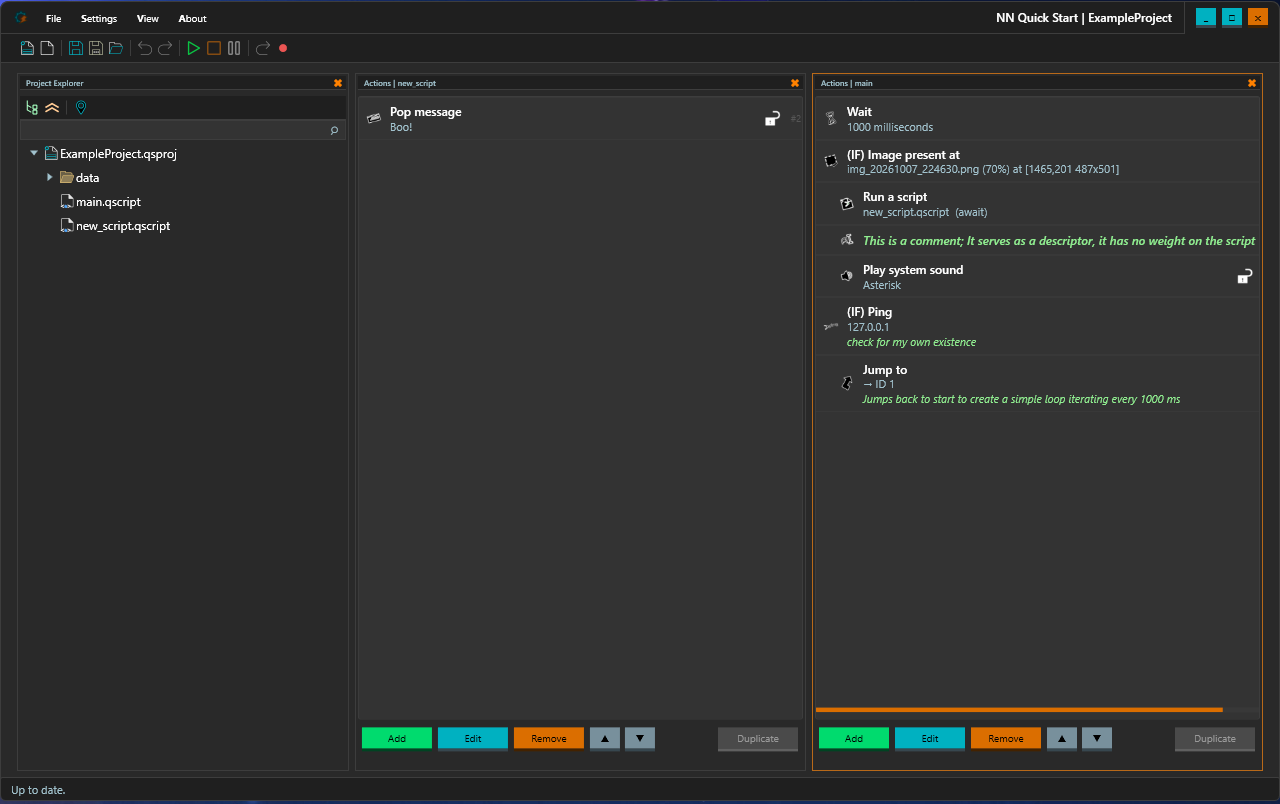

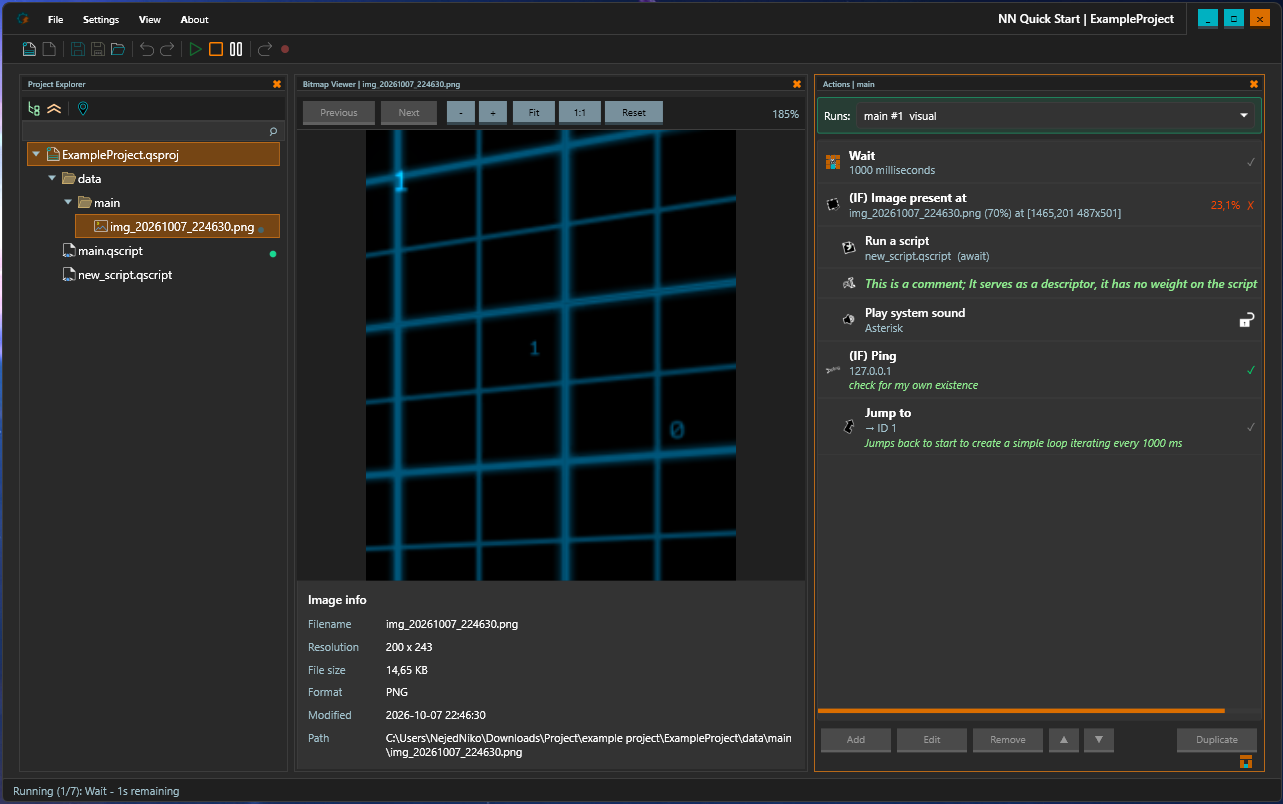

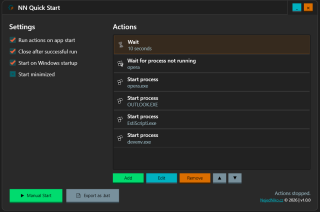
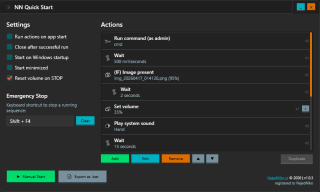
Quick Start is a lightweight Windows automation tool that lets you define a sequence of actions - launch apps, kill processes, run commands, wait for conditions, and more - then execute them in order with a single click (or automatically on startup) or export as an executable script file. Think of it as a personal startup script with a visual editor, conditional logic, and real-time feedback.
Currently this software exists in two variants. Free version (v1.0.0) with basic functionality and a Licensed, newest version with extended capabilities. Newly, from version 1.0.5.x a new 14-day TRIAL feature is available. It requires web registration.
Made for Windows 11.
Currently this software exists in two variants. Free version (v1.0.0) with basic functionality and a Licensed, newest version with extended capabilities. Newly, from version 1.0.5.x a new 14-day TRIAL feature is available. It requires web registration.
Made for Windows 11.
Features
- Run on startup
- Close on finish
- Start with Windows
- Start minimized
- Action: Run command
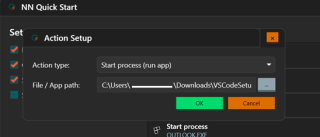
- Action: Start process
- Action: Kill process
- Action: Wait (time)
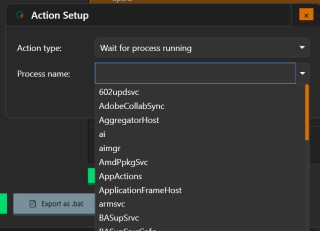
- Action: Wait for process (not) running
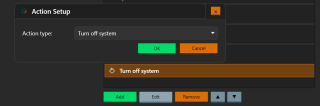
- Action: Turn off system
- Action: Restart system
- Action: Lock system
- Action: User logout (system)
- Action: System sleep & hibernate
- Action: Remove file
- Action Condition IF: File exists
- Action Condition IF: process running
- Action Condition IF: command result
- Error indications
- Export as .bat (experimental)
Premium features
- Action duplication
- Project Management: Save/Load/New
- Action: Open Directory
- Action: Write text
- Action: Trigger Close (Alt+F4)
- Action: Press key
- Action: Copy & Paste
- Action: Open file / Execute
- Action: Pop a system message
- Action: Play sound
- Windows Automation IDE
- Async option | write text
- Action: Play audio file + wait
- Action: HOLD a key
- Action: Click a mouse button
- undo / redo
- Async option | press/hold a button
- Action: RELEASE a key
- debugging (breakpoints, pause, next-step)
- Comments at actions
- Action: Move mouse
- Action: Comment (passive)
- Action: Mousewheel scroll
- Copy + Paste (CTRL+C / CTRL+V)
- previews in image-related actions
- Docking windows
- Action: Take a screenshot at -
- lock/unlock action (skips locked while running)
- Project Explorer
- Action: Save clipboard into a file
- Action: Jump to {action}
- Action Condition IF: Clipboard contains
- Action: Run script (await OR async)
- Reset volume on STOP
- Emergency Stop (keyboard shortcut)
- Action: Set Volume
- Action Condition IF: Image present
- Action Condition IF: PING
- Update notifications
Planned features
- git manager
- multiple languages support
- Action: stopwatch start
- Action: stopwatch stop
- Action: stopwatch - mark
- Import/Export project as a package
- Action: Terminate running async script
- Action: Mouse hold / release
- Action: wait for exact system time
- Action: Condition IF: system DateTime
- Dark / Light theme
- Action: (async) Download a file from url + await
Downloads
Releases
Latest
1.0.6.1 | EXE 0
Older
1.0.5.0a unstable | EXE 1
1.0.4.0 | EXE
0
1.0.3.4 | EXE
5
1.0.0 | 7Z
2
License
You can use this under the following licenses:
26
8
1
#automation #auto #quick #start #tool #lightweight #windows #execute